
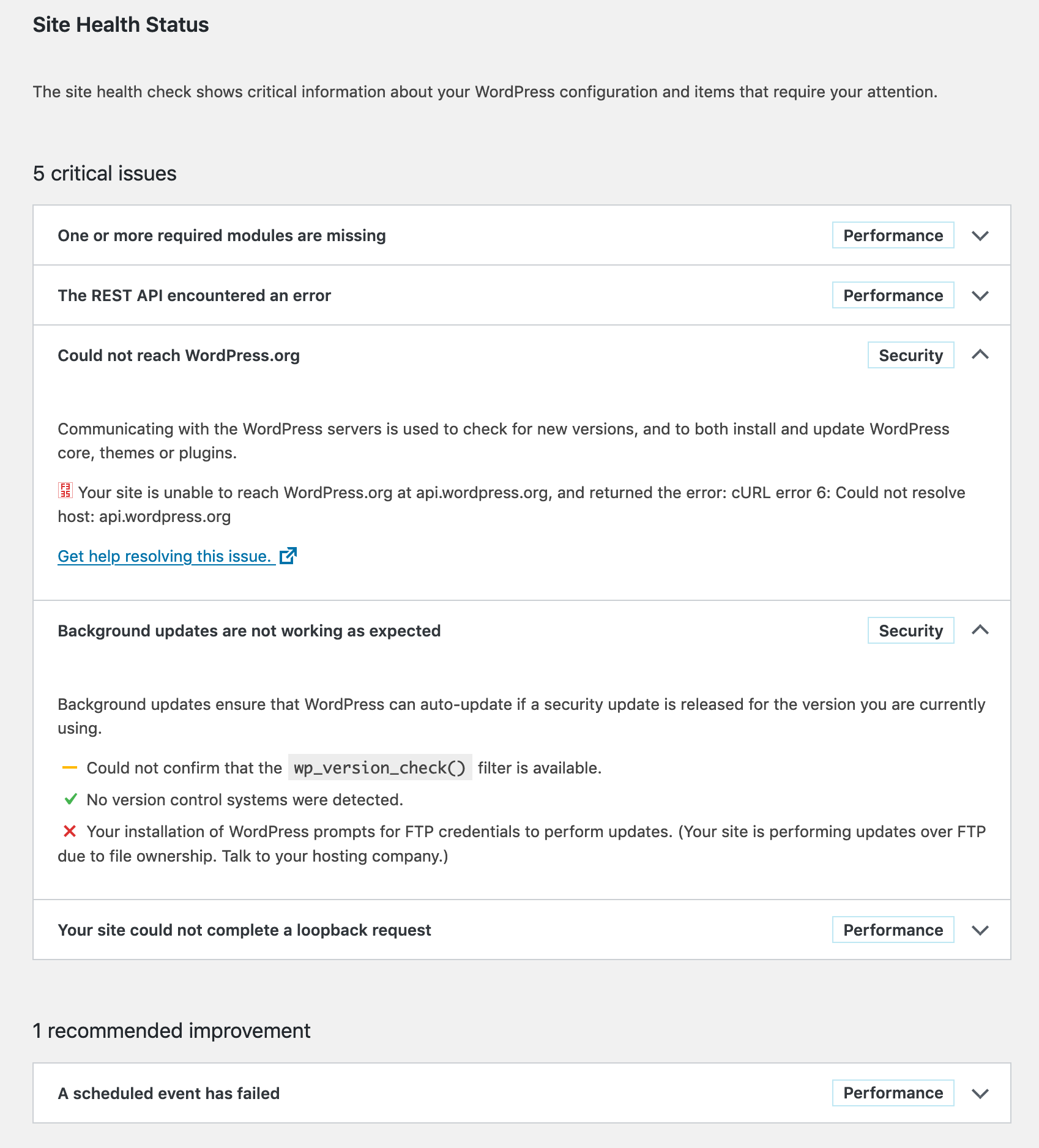
I recenlty moved my WordPress installation to another server; the one it was on was acting slow most of the time, which annoyed me in some cases. But now on the new server I get this bitching screen again when I run Tools > Site Health.
I want a healthy site!
One or more required modules are missing
The only required module seams to be gd, so I install it, and the optional zip. I don’t like imagick so I skip that.
$ doas pkg_add php-zip php-gd wget
$ doas mv /etc/php-7.3.sample/* /etc/php-7.3/
$ doas rcctl restart php73_fpm
The REST API encounted an error/Could not reach WordPress.org/Your site could not complete a loopback request
These three problems all have the same error message:
Error: [] cURL error 6: Could not resolve host: [some domain]
Looks like someone has trouble with dns resolving… Now the weirdest thing is that on my previous server, this was all working just superfine, but on the current server I just don’t get this error out of the way. Google (or any other search-engine) is not of any help. People fixing things with putting stuff in /etc/hosts, or putting the Google DNS servers in /etc/resolv.conf are not fixing problems, just mere circumventing them.
I have done quite some research in this issue and as it turns out any php run thru my webserver is not able to resolve any hosts, functions like gethostbyname or dns_get_record return nothing on this new server (and work like a charm on my old one…. GRRRR!!!)
Also interesting to know is that the functions above work perfectly fine when I run the php-scripts from the command-line:
$ php -f test.php
Array
(
    [0] => Array
        (
            [host] => akira.hku.nl
            [class] => IN
            [ttl] => 100
            [type] => A
            [ip] => 192.87.219.165
        )

)
Background updates are not working as expected
This one is easy to solve, just make sure that the files of WordPress are of the right owner:
$ cd /var/www/vhosts/remyblom.nl/blog
$ doas chown -R www:www .
Temporary Conclusion
The problem with cURL seems pretty consistent, although my two servers and their installations are so very equal, it’s super-scary. But I will continue the search, other pointers might be:
- Firewall settings?
- completely reinstall, php-fpm, php-curl, openBSD?
FINALLLLLY!!!! YES!!!!!
Man I have been looking into this issue so many times and now, May 2021, installing a new box with OpenBSD, I finally managed to enter the right search-query and FIND THE ANSWER!
$ cd /var/www/
$ doas mkdir etc
$ cd etc
$ doas cp /etc/resolv.conf .